November 1, 2025 | Career
The surface plane: make it clear and trustworthy
How visual design earns trust and supports usability
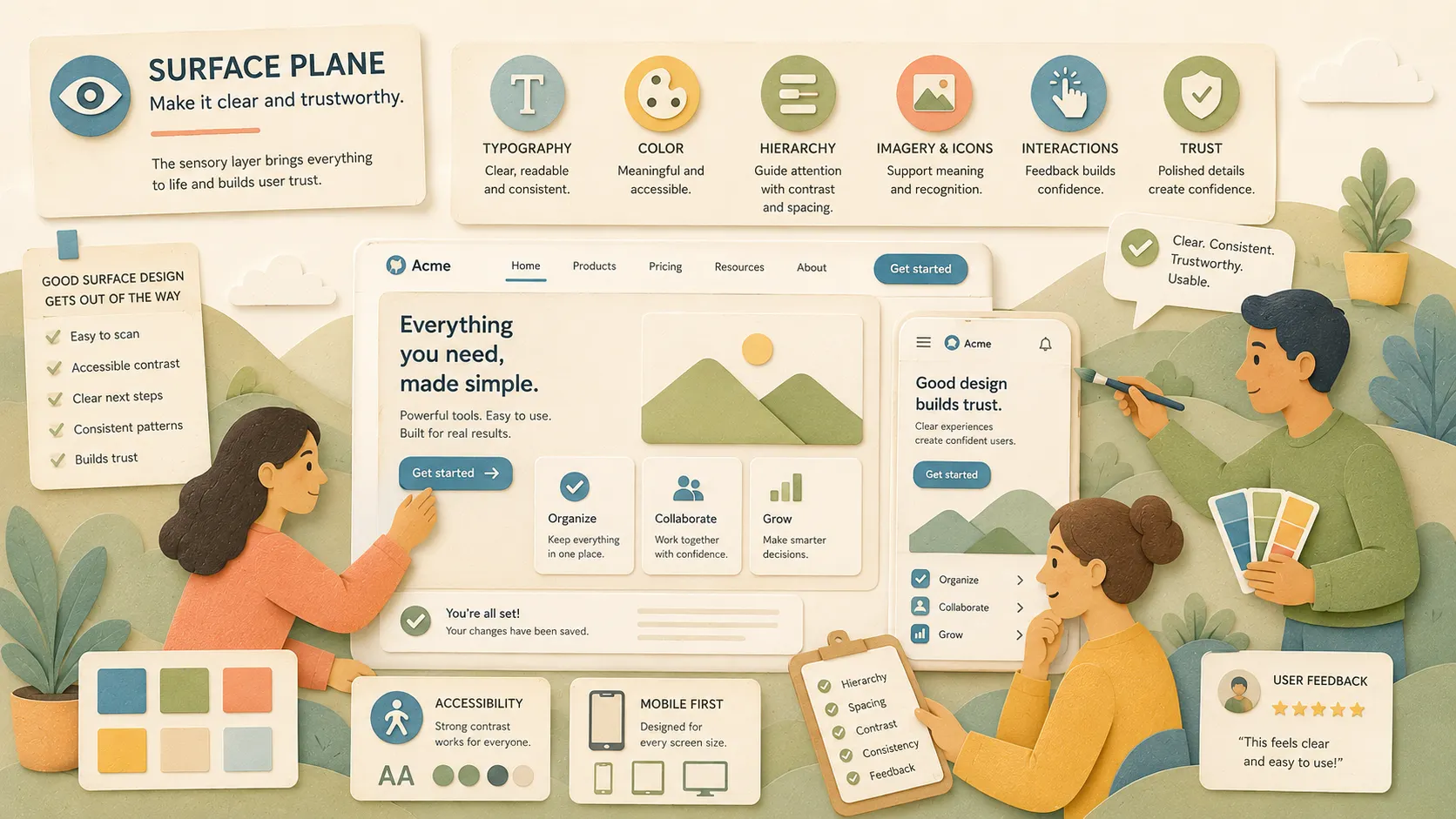
The surface is what users see first — but it should be the last thing you design.
Color, typography, spacing, icons, and imagery all live in this layer. This is where the product comes to life. But when teams jump to styling too soon, they end up covering confusion with polish.
The surface plane is the sensory layer. It includes every visual and interactive detail the user sees and touches. But those surface-level choices only succeed when they’re rooted in strategy, structure, and clarity.
Everything the user sees — text, images, and controls — is part of the surface.
— Jesse James Garrett, The Elements of User Experience
I’ve been guilty of this early in my career, designing and coding pretty screens without asking the hard questions first. It took years (and plenty of rework) to learn that visual design doesn’t fix broken flows. It only works when it rests on a strong foundation.
In this article, we’ll walk through what the surface plane is, how to design at this layer, and how it connects to every plane beneath it.
What the surface plane is.
The surface plane is the final layer in the user experience stack. It’s where everything becomes visible.
In Chapter 7 of The Elements of User Experience, Jesse James Garrett calls this the sensory design layer. That’s exactly what it is. This is where users see, touch, and respond. It includes:
- Typography and color
- Branding
- Visual hierarchy and spacing
- Icons and illustrations
- Motion and transitions
- UI controls and visual feedback
But here’s the catch: it’s not just decoration.
The surface plane’s job is to support usability and build trust. When done well, it makes interactions feel smooth, content feel clear, and decisions feel confident. When it’s done poorly, users get distracted, confused, or worse, suspicious.
This layer translates function into perception. It’s where design meets emotion. And it only works when it reflects the work done in every layer before it.
How to work in the surface layer.
The sensory design layer is where the visual and interactive details become real, where color, spacing, icons, and typography meet behavior.
The goal at this layer isn’t to decorate. It’s to communicate. You’re helping users know what’s important, what’s possible, and what action to take next. The best visual design disappears behind clarity.
Here’s how to work well in the surface plane:
1. Use hierarchy to guide attention
Start with structure. What should stand out? What can fade back? Use contrast, spacing, and type scale to direct focus.
Example:
- A dashboard had walls of text and competing colors.
- We applied a clear visual rhythm with consistent headers, subdued supporting text, and enough breathing room.
- Users found what they needed faster.
2. Reinforce meaning with design
Every visual element should serve a purpose. Color, shape, and placement should reflect what something does — or what it means.
Example:
- Error messages were blue and placed at the top of the page.
- We switched them to red, moved them next to the field, and added icons.
- Fewer users missed the fix.
3. Design with accessibility in mind
The surface plane is where accessibility either shows up or fails. Use strong contrast. Avoid relying on color alone. Keep interactive elements large and clear.
Example:
- We tested a mobile form and found the link color blended into the background.
- We darkened the color, added an underline, and tested again.
- Everyone could now spot the links, even on smaller screens.
4. Start with mobile
Designing mobile first forces you to prioritize. It keeps you focused on what matters most and ensures the layout holds up when you scale to larger screens.
Example:
- We started with mobile mockups and trimmed down the content.
- That forced a stronger hierarchy and tighter copy.
- When we moved to the desktop, the layout scaled naturally.
Artifacts, hard skills, and soft skills
Visual design isn’t just about how something looks. It’s about how something works on first glance across every screen size, brand system, and interaction state. The surface layer pulls everything together. This is where the final user perception is shaped.
Artifacts
- High-Fidelity UI design mockups
- Design tokens for color, typography, and spacing
- Style guides and brand guidelines
- Component library or design system
- Motion specs and microinteraction examples
- Accessibility checklist or contrast test results
Hard skills
- Visual hierarchy and layout
- Color theory and accessible contrast
- Typography systems
- Responsive design
- Mobile-first design
- Microinteraction and motion design
- Design tools (Figma, Adobe XD, etc.)
- Design QA and handoff tools
Soft skills
- Balancing brand and usability
- Communicating visual decisions clearly
- Advocating for accessibility and inclusivity
- Giving and receiving design feedback
- Prioritizing clarity over decoration
- Knowing when to polish and when to simplify
I’ve been referencing Practical UI by Adham Dannaway in my own design work and recommending it to my reports. He does a great job breaking down what makes visual design effective with examples that are both beautiful and usable.
Real world example
By the time we got to the surface layer, everything else was in place.
We’d already aligned on the strategy, clarified the scope, tested the structure, and validated the skeleton. The navigation was working. People were finding what they needed. Now it was time to style it, to reinforce trust, and make it feel seamless across devices.
We designed a clean, accessible, mobile-first visual system. The new nav used clear typographic hierarchy, brand-consistent colors, crisp icons, and strong contrast ratios. On mobile, we gave extra attention to tap targets, spacing, and scroll behavior. Every interaction had visual feedback.
Then we ran an A/B test.
One group of users got the original nav. The other got the new version. Over the next few weeks, we watched the data roll in:
- More users found what they were looking for
- Bounce rates dropped
- Conversion rates went up across key product pages
The visual design didn’t just make it look better. It made it work better. And it worked because the foundation was already solid.
How it connects to the other planes
The surface plane is the visible tip of the iceberg. It’s what users see, but it’s built on everything beneath it.
When visual design happens before strategy, scope, or structure, it hides deeper problems. You end up with something that looks great but confuses people. And fixing it later takes more time than doing it right the first time.
But when surface decisions reflect the layers below, the product feels natural. Trustworthy. Easy to use.
The surface brings structure to life. It reflects the scope. It honors strategy. And it helps the skeleton feel solid and usable.
The surface layer is where the entire user experience becomes tangible and where every decision made earlier either holds up or falls apart.
— Jesse James Garrett, The Elements of User Experience
In Conclusion
The surface plane is the final step, but it only works if the foundation is solid.
When teams treat visual design as a shortcut or a fix, it backfires. But when the surface is shaped by clear strategy, tight scope, and thoughtful structure, it brings clarity to life. The visuals feel intentional. The brand feels strong. The experience feels trustworthy.
It’s not just about making something look good. It’s about helping it work better.
Good surface design gets out of the way and helps users get where they need to go.
Take Action
Want to sharpen your work in the surface plane? Try one of these:
- Review your current screens for clarity. Are the visuals supporting the message or competing with it?
- Run a contrast check on a few key screens. Are your colors accessible?
- Look at mobile-first layouts. Does the content still make sense when it scales?
- Ask a teammate for visual feedback on spacing and hierarchy. Is it doing its job without extra noise?
Visual design is not the beginning. It’s the reward for doing the layers below it well.
Further Reading
- The Elements of User Experience by Jesse James Garrett — Chapter 7 focuses on sensory design and how the surface layer connects to the entire user experience.
- Practical UI by Adham Dannaway — A visual design resource packed with real-world examples, design systems, and layout techniques.
- Don’t Make Me Think by Steve Krug — An approachable guide to intuitive and effective interface design that holds up decades later.
- Color Accessibility — WebAIM Contrast Checker — A tool to help ensure your designs meet WCAG accessibility standards for color and contrast.
- Visual Hierarchy — Nielsen Norman Group — A breakdown of how to guide user attention with layout, typography, and spacing.