September 3, 2023 | Career
UX outcome metrics for digital products and web
Five categories of measurement that tell you what your design is actually doing.
Knowing whether the experience you designed is actually working is one of the hardest parts of this field. Intuition gets you somewhere. Metrics get you further.
In UX, there are five categories of metrics worth understanding: behavioral, attitudinal, descriptive, diagnostic, and engagement and outcome. Each one answers a different question. Together, they give you a complete picture of how users interact with your product, how they feel about it, and whether your design decisions are producing real results.
Here’s what each category covers and why it matters.
Behavioral metrics
Behavioral metrics track what users actually do. Not what they say they’ll do, not what you assumed they’d do — what they do. They’re the starting point for identifying where a workflow is breaking down or where engagement is stronger than expected.
Key metrics in this category:
- Click-through rate (CTR) — what proportion of users click a link or button after seeing it?
- Time on task — how long does it take users to complete a specific task? Longer than expected usually signals friction.
- Task success rate — what percentage of users actually complete the task?
- Bounce rate — how many users leave after viewing only one page?
- Conversion rate — are users completing the actions you designed for?
- Error rate — how often do users encounter errors, and where?
- Abandonment rate — how many users start a task and don’t finish it?
These numbers tell you where attention and effort should go. They don’t explain why things are happening — that’s what diagnostic metrics are for.
Attitudinal metrics
Attitudinal metrics measure how users feel. Behavior tells you what happened. Attitude tells you what users think about it. Both matter, and they don’t always point in the same direction.
Key metrics in this category:
- Net Promoter Score (NPS) — would users recommend this product? And how strongly?
- Customer Satisfaction (CSAT) — how satisfied are users, measured through direct surveys?
- System Usability Scale (SUS) — a standardized questionnaire that gives you a comparable usability score over time.
- User Effort Score (UES) — how much effort did users feel they had to put in to complete a task?
- Likert scale ratings — structured opinion data on specific aspects of the experience.
- Open-ended feedback — qualitative comments that surface things structured surveys miss.
Attitudinal data is where frustration, confusion, and delight show up. Pay attention to it.
Descriptive metrics
Descriptive metrics give you the surface-level view. They don’t explain behavior, but they establish the baseline — who your users are, how they’re accessing your product, and how often they’re showing up.
Key metrics in this category:
- Demographics — age, gender, location. Who is actually using this?
- User roles — what roles do users occupy within the product or community?
- Frequency of use — how often do users interact with the product?
- Time of use — when are they engaging?
- Device type — what are they using to access it?
- Browser type — what browsers are they on?
- Referral source — what’s driving traffic to the product?
Descriptive metrics are most useful as context. A high bounce rate on the homepage means something different if most of your traffic is coming from a referral source that doesn’t match your actual user base.
Diagnostic metrics
Diagnostic metrics answer the question behavioral data raises: why is this happening? They’re investigative. They go below the surface to identify the specific points where users are struggling or disengaging.
Key metrics in this category:
- Click heatmaps — where are users clicking? Where are they not clicking that you expected them to?
- Scroll heatmaps — how far are users scrolling? What content is being missed entirely?
- Navigation flow — what paths are users actually taking through your product, and where do they get stuck?
- Error messages — what types of errors are occurring, and how frequently?
- Time to complete a task — when measured at a granular level, this reveals which specific steps are creating the most delay.
These are the metrics you reach for when the top-level numbers are telling you something is wrong but not where to look.
Engagement and outcome metrics
These two categories work together to close the loop between user behavior and business impact.
Engagement metrics tell you whether your product holds attention over time:
- Session duration — how long are users staying?
- Number of sessions per user — how often are they coming back?
- Retention rate — what percentage of users return?
- Churn rate — how fast are you losing users?
- User lifetime value (LTV) — what is a user worth over the full span of their engagement?
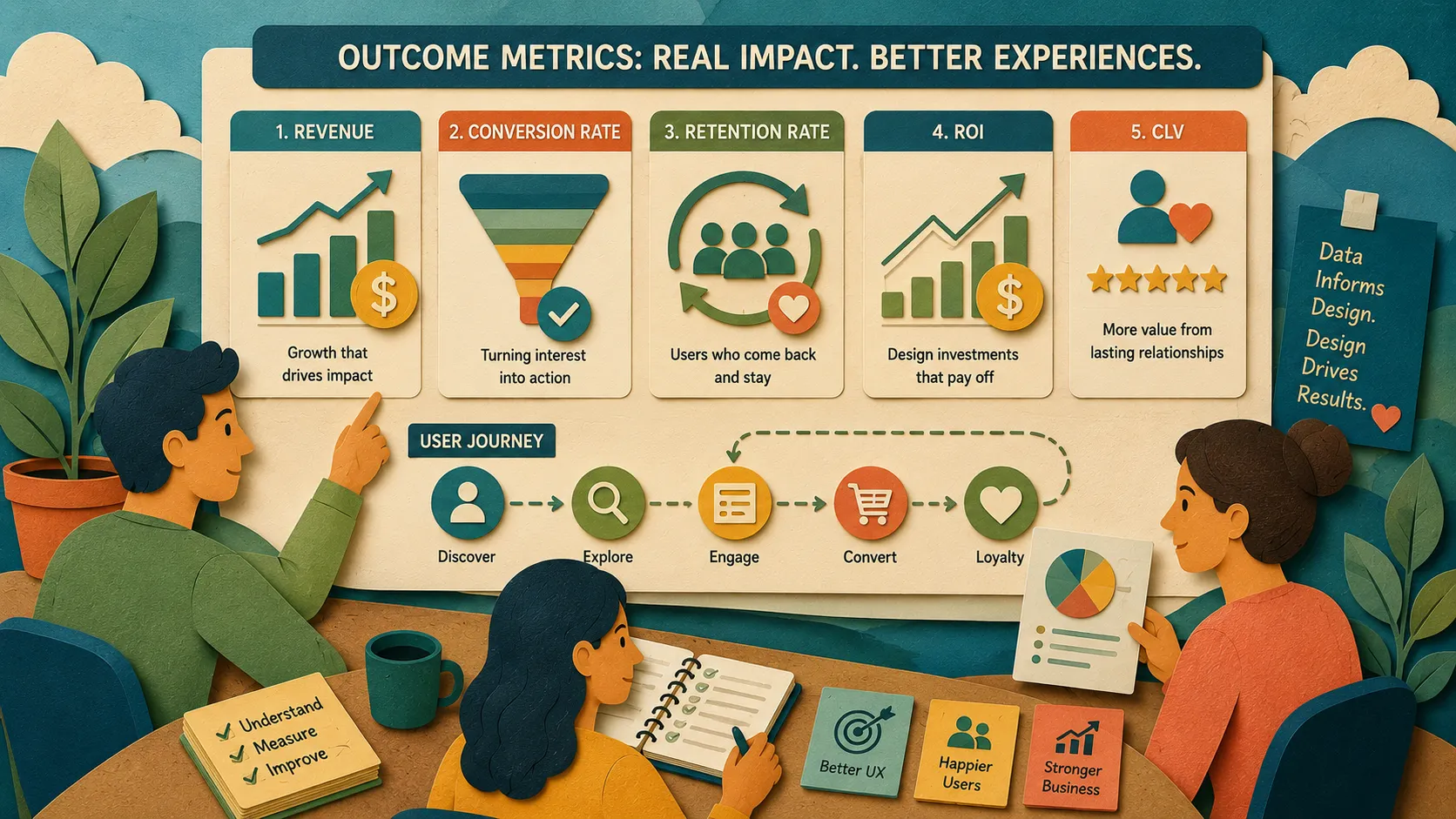
Outcome metrics tell you whether the experience is producing results:
- Revenue — what are users generating in total?
- Conversion rate — are users taking the actions the product is designed around?
- Customer acquisition cost (CAC) — what does it cost to bring a new user in?
- Return on investment (ROI) — are design investments paying off?
- Customer lifetime value (CLV) — what is the long-term value of a customer relationship?
Engagement metrics tell you the experience is resonating. Outcome metrics tell you it’s working in the ways the business needs it to.
In Conclusion
No single metric gives you the full picture. The five categories work together: descriptive data gives you context, behavioral data shows you what’s happening, diagnostic data explains why, attitudinal data tells you how users feel about it, and engagement and outcome metrics connect all of it to real-world impact.
Know what each category is built to answer. Use them together. That’s how metrics become useful rather than just present.